

Click here to read more
Load more updates
Update for
- Updated for WoTB 11.21
- Added new backgrounds for "Random Queue" Screen
- Changed images host from imgur cuz it was banned in some countries (bruh)
Update for
- Updated for World of Tanks Blitz 11.20
Update for
- Updated for World of Tanks Blitz 11.18
Update for
- Updated for World of Tanks Blitz 11.17
Update for
- Updated for World of Tanks Blitz 11.16 - Fixed some textures - Changed several display conditions for some elements
Update for
- Fixed bugs with textures for 2K+ monitors - Fixed bug with bonus factor in tank carousel
FAQ
How to install mods?
- PC (If the micropatch has not yet been released by the game developers):
Download the archive with the mod, copy all files and folders of the mod and paste it by the path .../World of Tanks Blitz/Data/
To find this folder take a couple of steps:
For Steam: Library -> WoTBlitz -> Manage -> View local files
For WGC/LGC: WoTBlitz(TanksBlitz) -> Game settings -> Show in folder
For Microsoft Store: Open File Explorer and follow the path C:/Program Files/WindowsApps/ -> Find a way to get here in the Internet -> Find folders related to WoTBlitz (7458BE2C.WorldofTanksBlitz_********), if there are several folders, find the one with the newest date -> Go to the Data folder
- PC (If the micropatch has already been released by the game developers):
Download the archive with the mod, copy all the files and folders of the mod and paste it into the folder C:/Users/USERNAME/AppData/Local/wotblitz/packs/ for WoTBlitz and into C:/Users/USERNAME/Documents/packs/ for TanksBlitz. If you downloaded the game from the Microsoft Store, then follow the path C:/Users/USERNAME/AppData/Local/Packages/7458BE2C.WorldofTanksBlitz_***/LocalState/packs. Paste mod files here. This way most mods will work properly. If you installing crew voices and gun sounds mods, u must install this mods in the folder described above, in the first option for PC.
- Android
How to install mods for WoTBlitz on Android (GitHub)
- IOS
For this you need a Jailbreak to gain access to the device’s file system, how to do this search on the Internet. Download the archive with the mod, copy all the files and folders of the mod. Next follow the path var/mobile/Containers/Bundle/Application/[UniqueValue]/WoTBlitz.app/Data/ and install mods here.
Video instruction: How to install mods for WoTBlitz and TanksBlitz on PC and Android
Download the archive with the mod, copy all files and folders of the mod and paste it by the path .../World of Tanks Blitz/Data/
To find this folder take a couple of steps:
For Steam: Library -> WoTBlitz -> Manage -> View local files
For WGC/LGC: WoTBlitz(TanksBlitz) -> Game settings -> Show in folder
For Microsoft Store: Open File Explorer and follow the path C:/Program Files/WindowsApps/ -> Find a way to get here in the Internet -> Find folders related to WoTBlitz (7458BE2C.WorldofTanksBlitz_********), if there are several folders, find the one with the newest date -> Go to the Data folder
- PC (If the micropatch has already been released by the game developers):
Download the archive with the mod, copy all the files and folders of the mod and paste it into the folder C:/Users/USERNAME/AppData/Local/wotblitz/packs/ for WoTBlitz and into C:/Users/USERNAME/Documents/packs/ for TanksBlitz. If you downloaded the game from the Microsoft Store, then follow the path C:/Users/USERNAME/AppData/Local/Packages/7458BE2C.WorldofTanksBlitz_***/LocalState/packs. Paste mod files here. This way most mods will work properly. If you installing crew voices and gun sounds mods, u must install this mods in the folder described above, in the first option for PC.
- Android
How to install mods for WoTBlitz on Android (GitHub)
- IOS
For this you need a Jailbreak to gain access to the device’s file system, how to do this search on the Internet. Download the archive with the mod, copy all the files and folders of the mod. Next follow the path var/mobile/Containers/Bundle/Application/[UniqueValue]/WoTBlitz.app/Data/ and install mods here.
Video instruction: How to install mods for WoTBlitz and TanksBlitz on PC and Android
Mod doesn`t work, what should I do?
If the mod doesn`t work, or you can`t install it correctly, write to us about it on our Discord server, mentioning the author of the mod. Other server members, our other modders, and also, in rare cases, the BlitzMods administration can also help you. If Discord is not suitable for you, or for some reason you do not have it, you can write about it in our Telegram chat. Our employee will try to help you in this chat, and if he doesn’t succeed, for example, if the modification requires an update, he will redirect your messages to our modders so that they can find out about problems with the mod and solve them as soon as possible.
What to do if the download of the modification does not start?
The download of the modification may not start for several reasons. One of these reasons may be the blocking of pop-up windows that open on our website. Try to give permission to display pop-ups on the site, then reload the page and try again to download the modification from our site. Most often, if the first solution to the problem did`nt help, changing the browser can help to resolve a problem. Try to open our site and download the mod using a other browser.
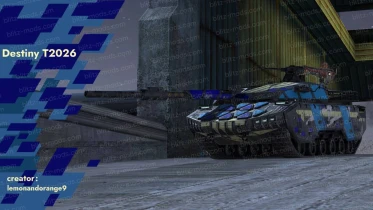
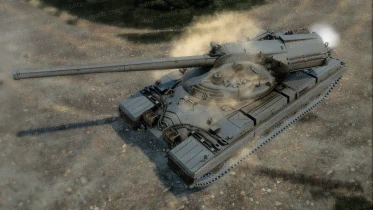
Write comment
* Only authorized users can leave comments and rate mods
LoginComments 99